How Much Does a POS System Cost? Real Pricing From the Systems We Deploy
Compare POS hardware, software, processing, lease terms, and total ownership costs across common business sizes.
A POS system costs $0 to $2,000 upfront for hardware plus $0 to $300 per month for software, with most small businesses landing between $50 and $150 monthly all-in. Across the deployments we handle, the real cost driver is never the sticker price, it is the processing rate attached to it.
What Are the 3 Cost Layers of Every POS?
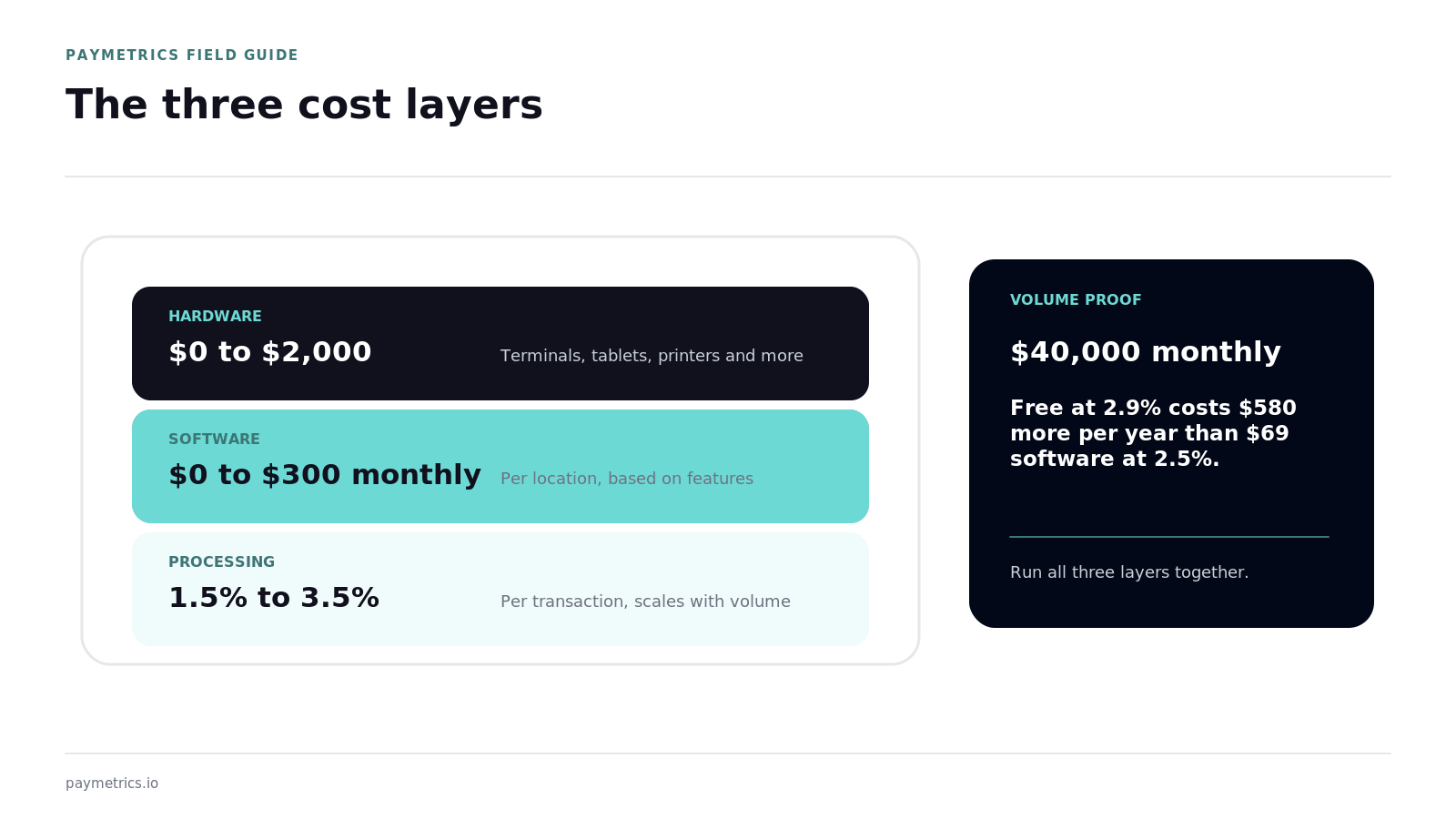
Every POS quote breaks into 3 layers:
- Hardware: $0 to $2,000 for terminals, tablets, printers, scanners, and cash drawers
- Software: $0 to $300 per month per location, tiered by features and register count
- Processing: 1.5% to 3.5% per transaction, the layer that dwarfs the other 2 at volume
A free system at 2.9% costs a $40,000-a-month retailer $580 more per year than a $69 system at 2.5%. Always run the 3 layers together.
What Does Each Business Size Actually Pay?
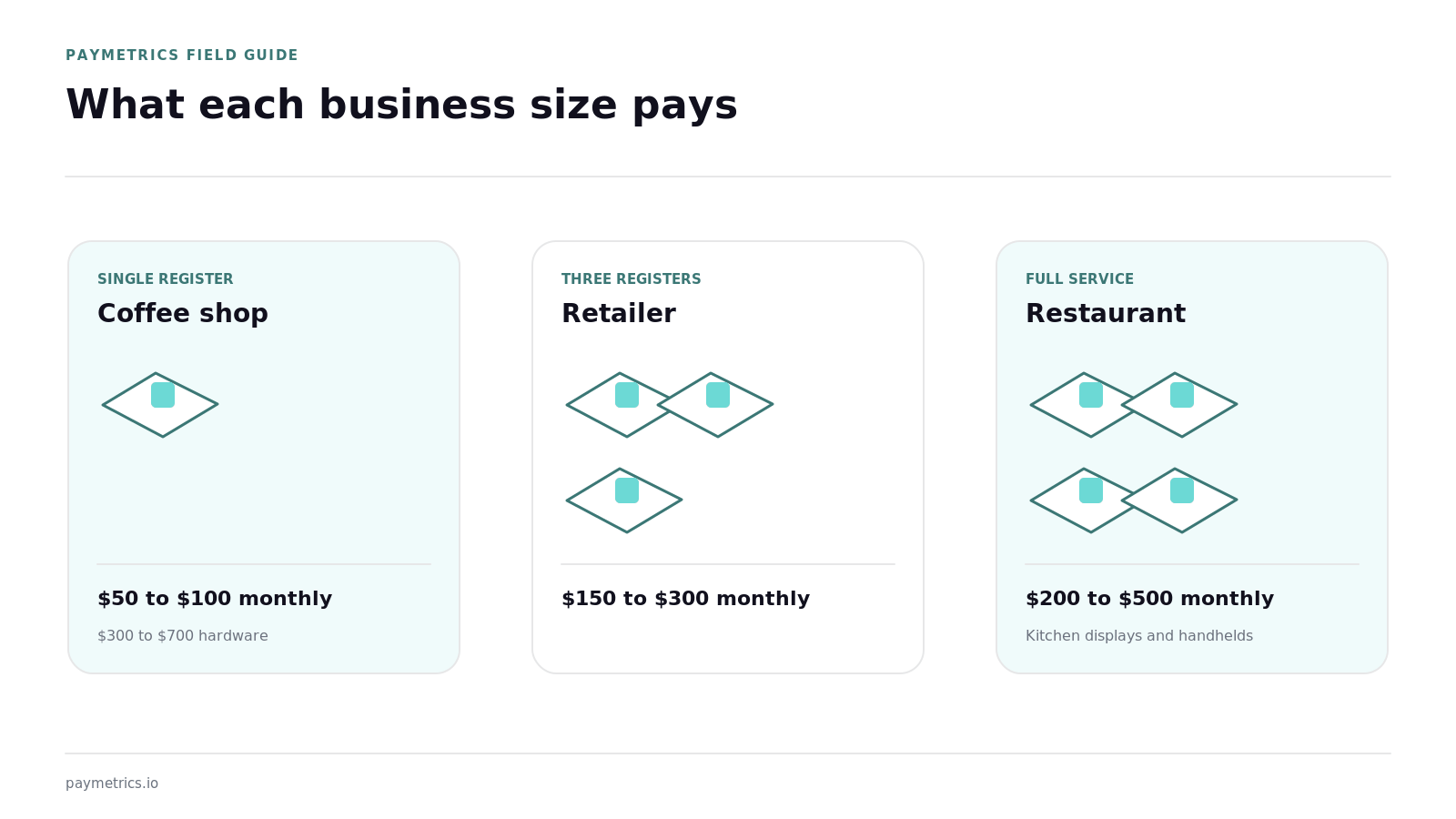
Typical all-in software and hardware budgets fall into 3 tiers. A single-register coffee shop runs $50 to $100 monthly with $300 to $700 of hardware. A 3-register retailer with inventory needs runs $150 to $300 monthly. A full-service restaurant with kitchen displays and handhelds runs $200 to $500 monthly, and our restaurant POS system guide prices those builds in detail.
Which Hidden Costs Inflate POS Pricing?
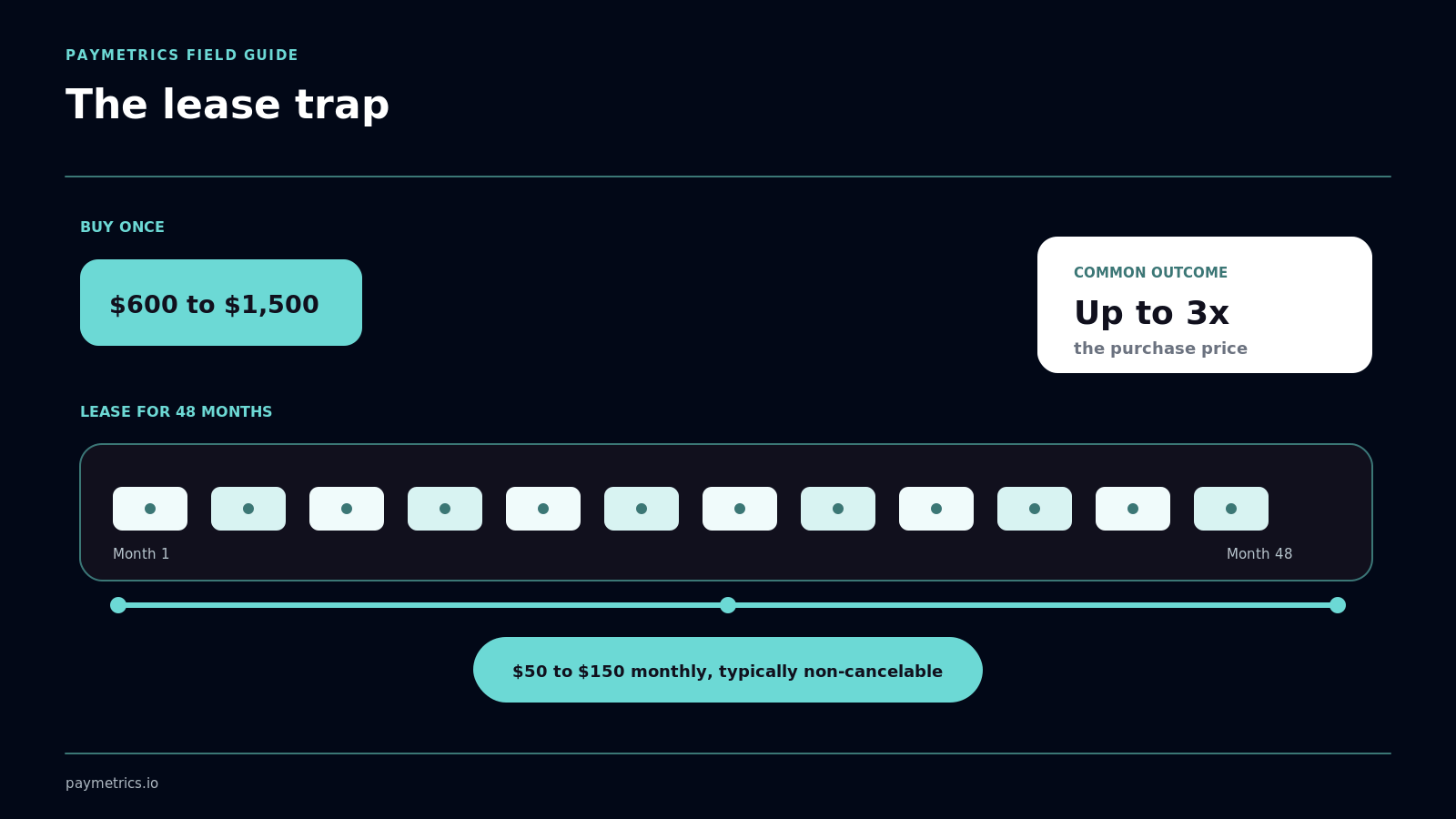
Four hidden costs inflate POS pricing after signature: hardware leases that total 3x the purchase price over 48 months, per-feature software add-ons, mandatory support plans of $20 to $50 monthly, and locked processing you cannot shop. Leases are the worst offender we see, and they sit squarely in the hidden costs of good enough payment systems.
Buy hardware outright when cash allows. A $1,200 lease-vs-buy mistake repeats every terminal refresh cycle.
When Is a Full POS Worth It Over a Simple Terminal?
A full POS system beats a basic terminal once you need inventory, staff permissions, or reporting, typically past $15,000 in monthly volume. Below that, a countertop terminal or mobile payment reader accepts the same cards for a fraction of the cost.
What Questions Should You Ask Before Signing a POS Quote?
Ask 5 questions before signing any POS quote:
- Is the hardware purchased, leased, or free with a processing commitment
- What is the all-in monthly software cost with my required features turned on
- Can I shop or renegotiate the processing rate independently of the software
- What are the early termination and data export terms
- What does support cost after year 1
Question 3 is the one vendors dodge. Locked processing converts a $69 software subscription into a 4-figure annual commitment through the rate.
How Do You Calculate Total Cost of Ownership Over 3 Years?
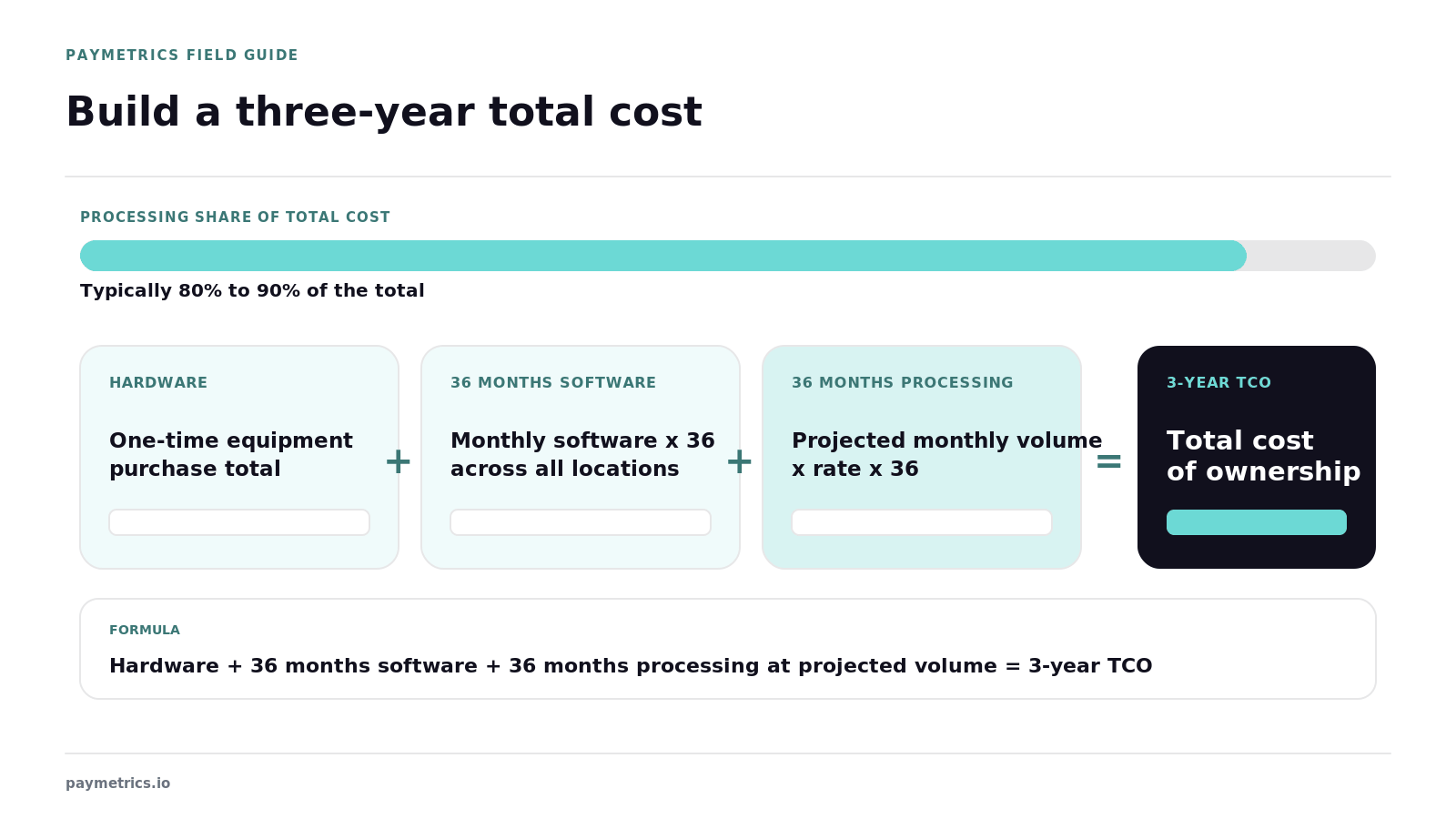
Calculate 3-year cost by summing hardware, 36 months of software, and 36 months of processing at your projected volume. The processing line typically represents 80% to 90% of the total, which reframes every POS decision as a processing decision with a screen attached.
Which Businesses Actually Need Advanced POS Features?
Advanced tiers earn their cost in 4 situations: multi-location operations needing consolidated reporting, restaurants running table and modifier management, retailers tracking inventory across thousands of SKUs, and service businesses with appointment scheduling.
Single-location businesses with simple catalogs rarely use more than the base tier. Paying for unused modules is the most common POS overspend we correct on statement reviews.
Should You Buy or Lease POS Hardware?
Buy whenever possible. Leases commonly run $50 to $150 monthly across 48 months for hardware worth $600 to $1,500, and they are typically non-cancelable even if you close the business. Purchasing outright costs more on day 1 and less in every month that follows. Read any hardware agreement for the word lease before signing, because equipment presented as free or included frequently arrives attached to exactly this structure.
Related POS Buying Questions
Does Industry Change the Right Build?
Yes, retail stores prioritize inventory and barcode flow, restaurants need coursing and tips, and hotels need folio and card-on-file support.
Can You Add Online Sales to a POS Later?
Yes, modern systems sync with ecommerce checkout so in-store and online inventory share 1 catalog, a setup our best credit card processing for small business guide covers.
Table of Contents
Subscribe to our newsletter
Get the latest insights and updates delivered to your inbox.
How Does a POS System Work? What Happens Behind the Counter, From Our Install Team
Follow a POS transaction from checkout through authorization, inventory, reporting, settlement, and offline processing.
How Long Does a Credit Card Payment Take to Process?
Learn the difference between instant authorization and merchant funding, plus the cutoffs and delays that affect deposit timing.

How Much Are Credit Card Processing Fees? Real Numbers From the Merchant Statements We Review
See realistic credit card processing fee ranges, the three fee layers, and how pricing models affect the true all-in cost.